

Your client’s library, on your laptop, before you board.
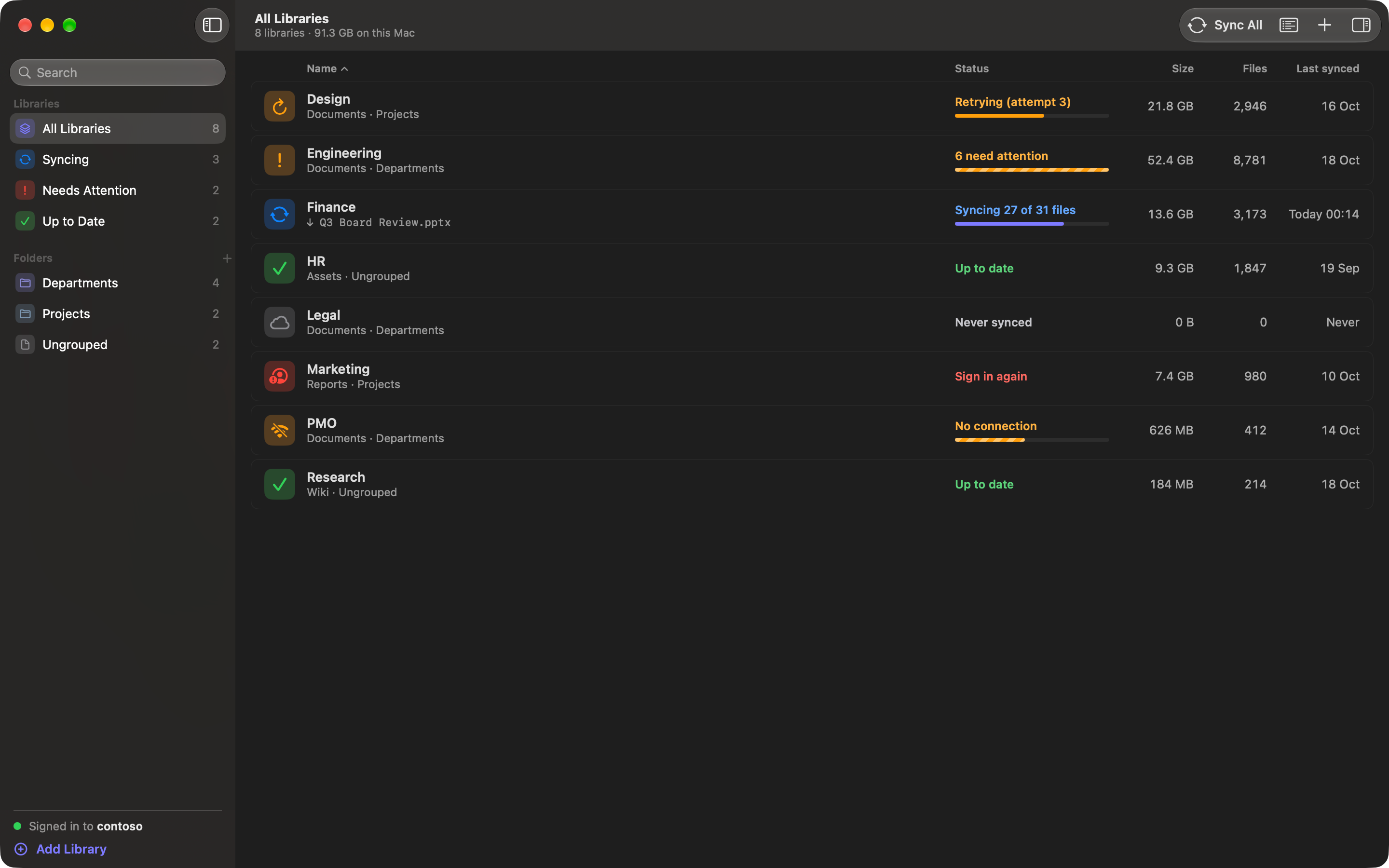
You work inside your clients’ Microsoft 365 tenants with an account they gave you. ShareClone puts the libraries you need on your Mac, so the deck, the data room and the project folder are there on the plane and at the client site.
Where it goes wrong today
The client gives you a guest account in their tenant. Their IT will not register a sync tool for one consultant, and the browser downloads what you select as a zip that starts over when the connection drops. So you click through the folders the night before, the hotel Wi-Fi drops halfway, and on the plane you find out which folder never finished.
How ShareClone handles it
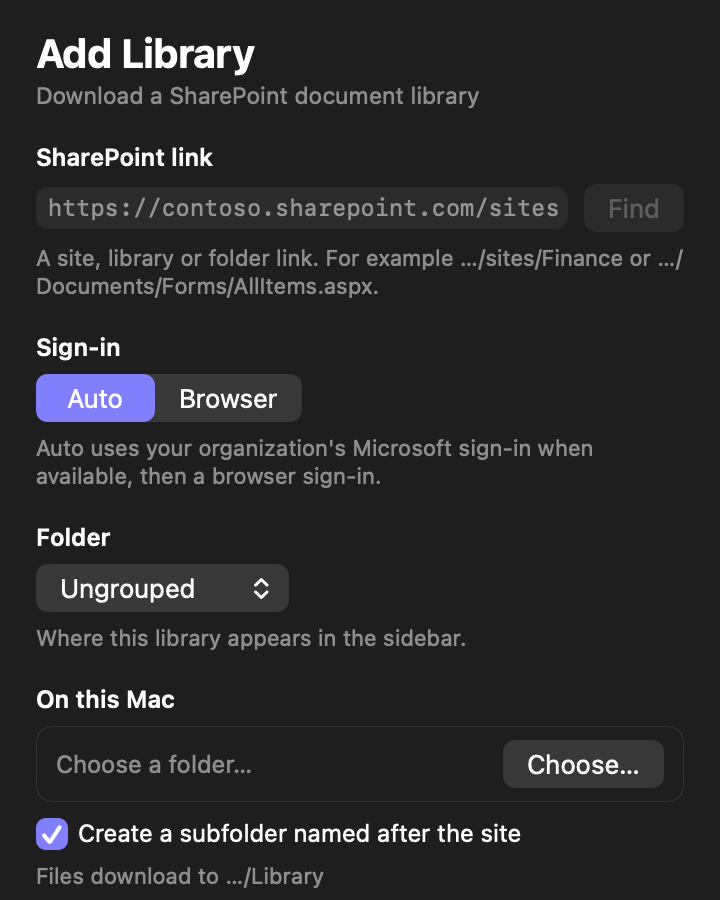
Paste a link to the client’s site and ShareClone finds its libraries. Choose the ones you need, pick the folders, and choose where they go on your Mac, for example one folder per client. You sign in on the client’s own Microsoft sign-in page, inside ShareClone, with the account and multi-factor check they already gave you.
The first sync runs folder by folder in the background. If the connection drops, ShareClone keeps what it has and continues from the file it was on. Before the next trip, a sync fetches only what changed since the last one.
What stays the same
ShareClone only reads. It never uploads, edits or deletes anything in the client’s SharePoint, and it can only see what your account can see. Your client’s policies still apply, and some organizations restrict downloading company data, so check the engagement terms before you take a copy.
Questions people ask
Do I need IT approval or admin consent?
No app registration and no administrator consent are needed. You sign in with your normal Microsoft login in a built-in window, and ShareClone can only see what your own account can see.
Your organization’s own policies still apply, and some organizations restrict downloading company data; check yours.
Does it work with MFA and single sign-on?
Yes. You sign in on your organization’s own Microsoft sign-in page, so MFA and single sign-on work as they do in a browser.
What happens when I go offline or my Mac sleeps?
The library shows “No connection”, waits and resumes by itself when you are back. After sleep, ShareClone resumes, and the Activity log notes that the computer was asleep.
Other people who use it
Auditors and review teams
A complete local copy of an evidence library, with exact counts and a readable log.
Project and PMO leads
A local archive of a project library, refreshed with only what changed.
Analysts before a migration
A complete local copy of a library before it is moved or restructured.
Take SharePoint with you.


Coming soon to the Mac App Store
Free download. 14-day free trial.
Pricing details and purchase questions