

Every file of the evidence library, and a count that says so.
Fieldwork happens in meeting rooms with guest Wi-Fi and in archives with none. ShareClone keeps the evidence library on your Mac and tells you file by file whether the copy is complete.
Where it goes wrong today
A review depends on having all of the documents, and a browser download does not tell you what it skipped. Large libraries time out, names that are too long fail silently, and nobody can say afterwards whether the local folder matched SharePoint on the day.
How ShareClone handles it
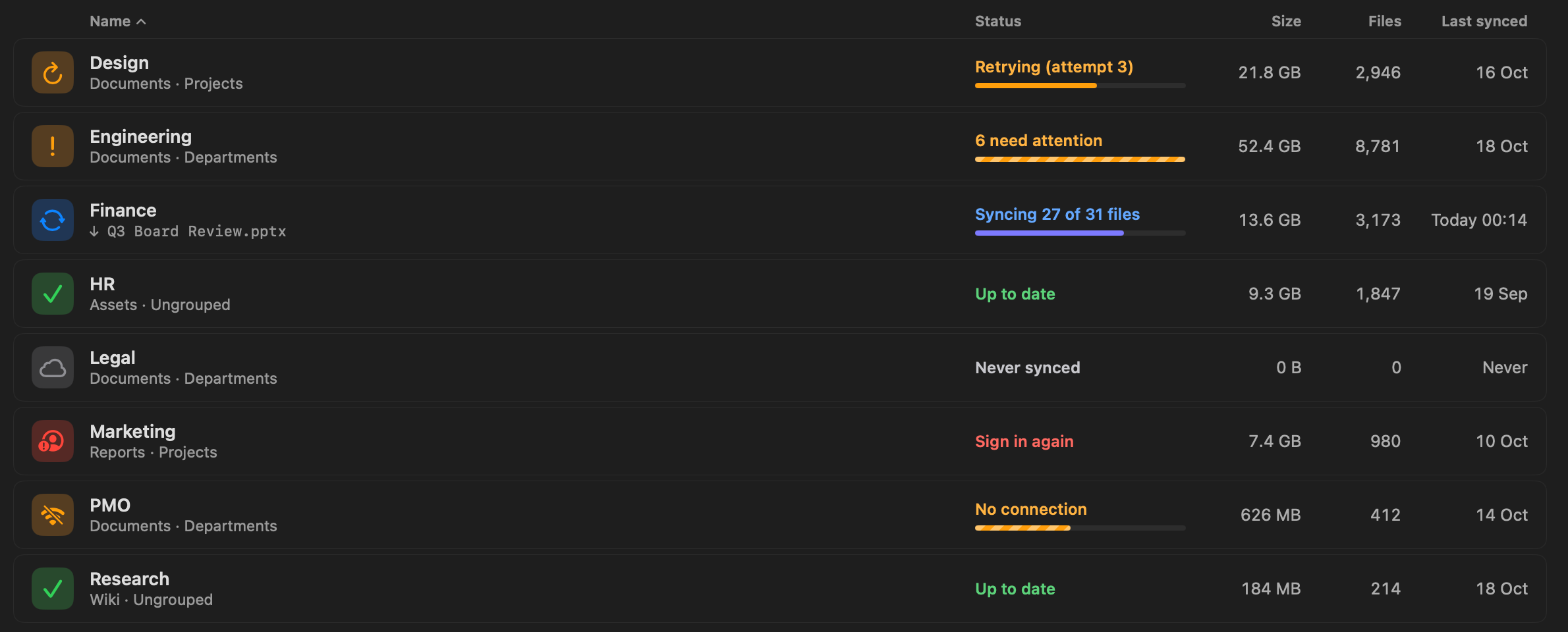
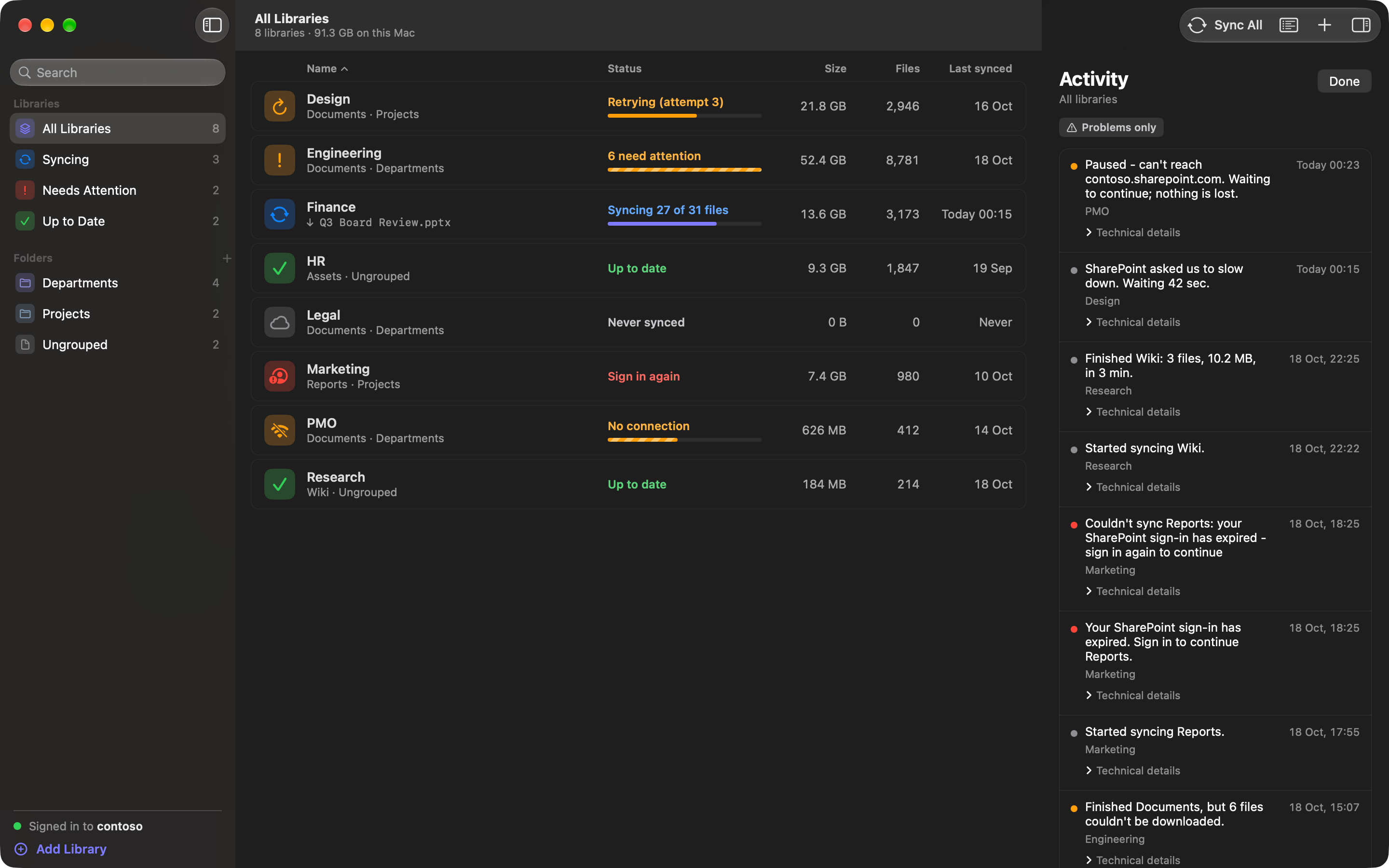
ShareClone says “Up to date” only when nothing is left to download. A sync that ends with missing files says so, and the library shows how many need attention. The Activity log lists each file and the reason in a plain sentence, for example a file that was removed or is no longer permitted, or a name macOS cannot store.
Later syncs fetch only new and changed files, so you can refresh the copy during fieldwork without downloading everything again. Each library goes to the folder you choose, and ShareClone never moves the files afterwards.
What stays the same
ShareClone is read-only towards SharePoint. It never uploads, edits, renames or deletes anything there. The optional mirror deletions setting is off by default, and when it is on it only removes local files ShareClone downloaded.
Questions people ask
Does ShareClone upload or change anything in SharePoint?
No. It only reads. It never uploads, edits, renames or deletes anything in SharePoint.
The optional “mirror deletions” setting removes only local files that ShareClone downloaded, and is off by default.
Can it handle very large libraries?
It is built for them: it works folder by folder, resumes after interruptions and fetches only changes on later syncs, with a progress line and exact counts. The first scan of a very large library can take a few minutes, and the item count keeps rising while it works.
Where do my files go?
To the folder you choose for each library, optionally in a subfolder named after the SharePoint site. ShareClone never moves them afterwards.
The list of libraries, the history and your settings are stored in ShareClone’s own app data on your Mac.
Other people who use it
Consultants
A client’s SharePoint library on your Mac for flights, site visits and hotel Wi-Fi.
Project and PMO leads
A local archive of a project library, refreshed with only what changed.
Analysts before a migration
A complete local copy of a library before it is moved or restructured.
Take SharePoint with you.


Coming soon to the Mac App Store
Free download. 14-day free trial.
Pricing details and purchase questions